AI You Can Trust
Bringing Clarity to AI Data Analytics
Context
Who is TextQL?
The client, a $4.1 million backed seed-stage startup, aimed to make an AI-powered data platform designed to make data analytics accessible for enterprises of any size. I collaborated with a team of six designers on this project.
Timeline
Due to the fast paced nature of the company and the 10-week timeline of our contract, we were expected to face and adapt to frequent product pivots.
Background
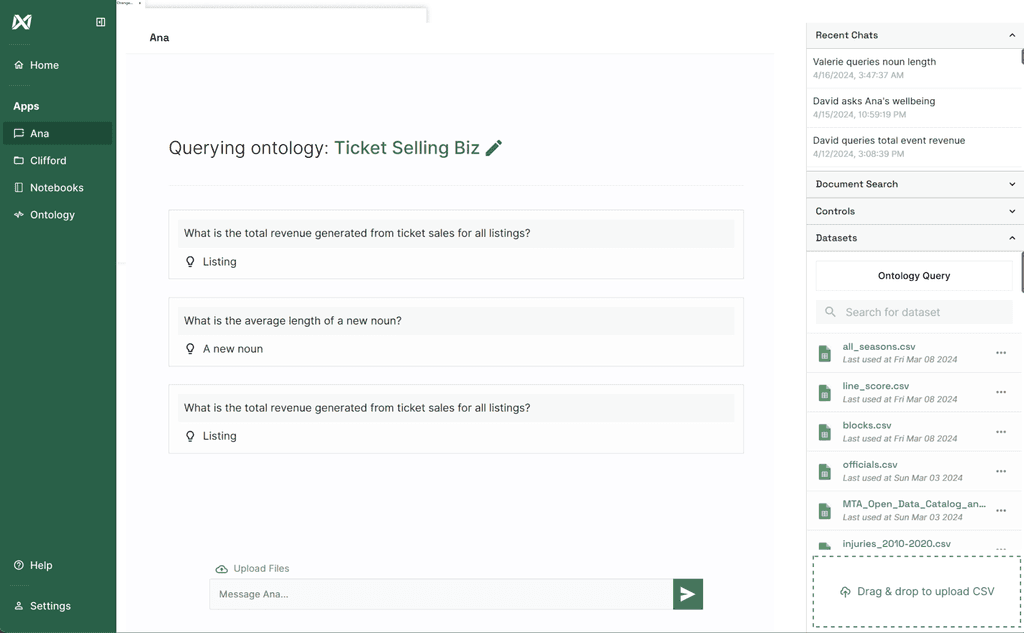
One of TextQL’s many important features was Ana, an AI data analyst chatbot that visualizes relationships between datasets. My focus as a part of this team was on improving the usability and trust of Ana’s dashboard to make complex enterprise data more understandable and actionable.
User Research
Understanding why AI confuses users
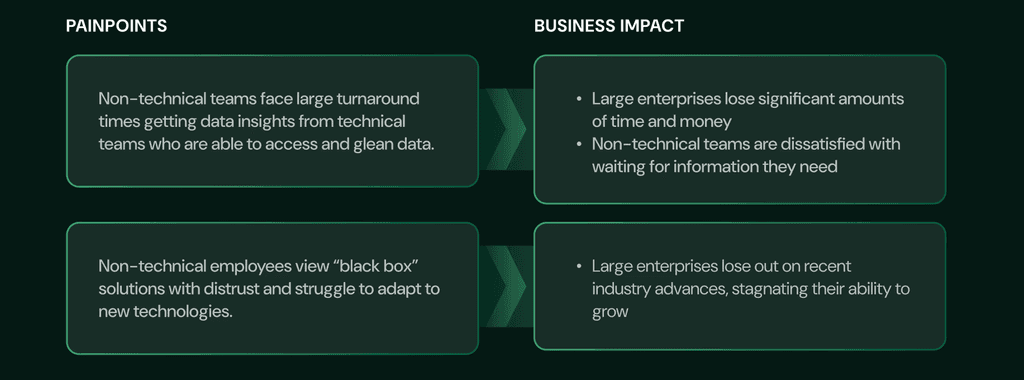
To understand how professionals work with data at large enterprises, I conducted usability testing and interviews with 12 managers and employees across 8 companies. I also ran 3 in-depth interviews with executives and senior-level employees at Google, PNC, J.P. Morgan, observing how they worked with data and AI-driven tools. I found that…
Testing the Product
Seeing how teams work with data
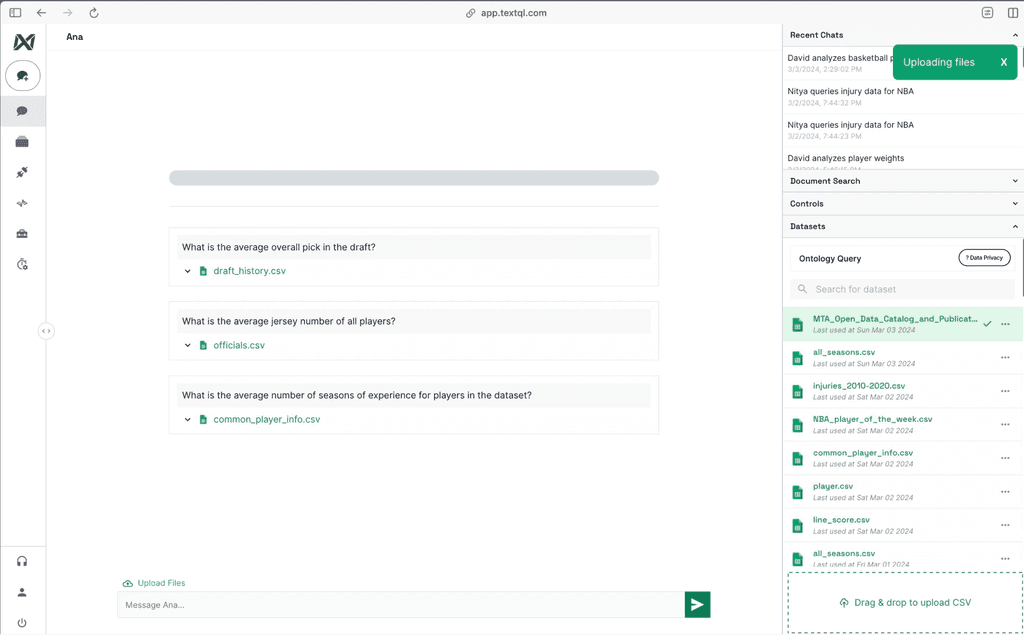
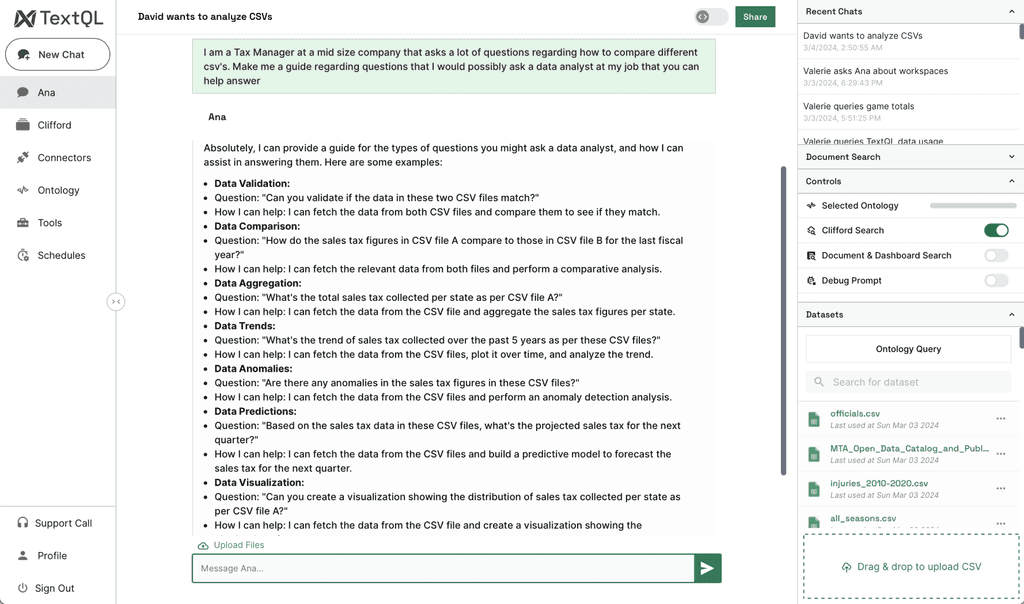
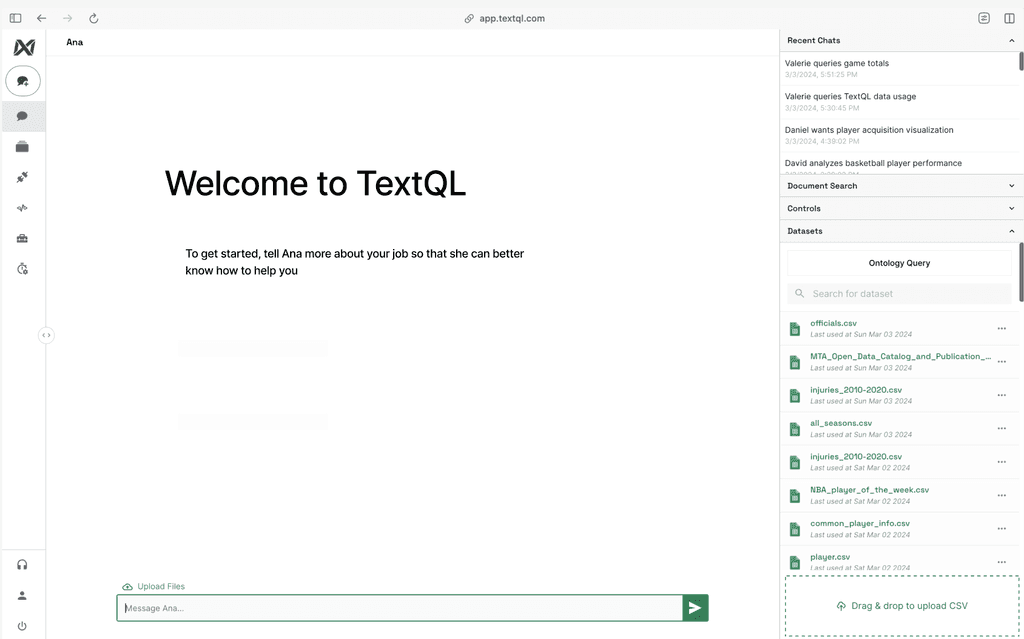
I also conducted user testing on the initial Ana dashboard to see how real users interacted with it and identified 3 main pain points with the old Ana Dashboard.
Poor Conversation Context
The dashboard didn’t clearly indicate which chats were recent or most relevant, making it hard to locate important discussions.
Inefficient Navigation
Users found it difficult to move between multiple chats, often losing context and unintentionally duplicating conversations.
Overwhelming Data
The dashboard presented raw data in a dense, unformatted way, making it difficult for users to interpret results and trust Ana’s insights.
Opportunity
How might we create a dashboard experience that feels intuitive, organized, and trustworthy for users?
Problem Definition
Turning Confusion into Opportunities
I converted the key problems into opportunities to solve for during the redesign.
Poor → Clear
The redesign should highlight recent and important chats, making it easy for users to locate key discussions at a glance.
Inefficient → Seamless
The dashboard should allow users to move between multiple chats efficiently, preserving context and minimizing duplicated conversations.
Overwhelming → Digestible
The redesign should present data in a structured, readable way that helps users understand insights quickly and build confidence.
User Persona
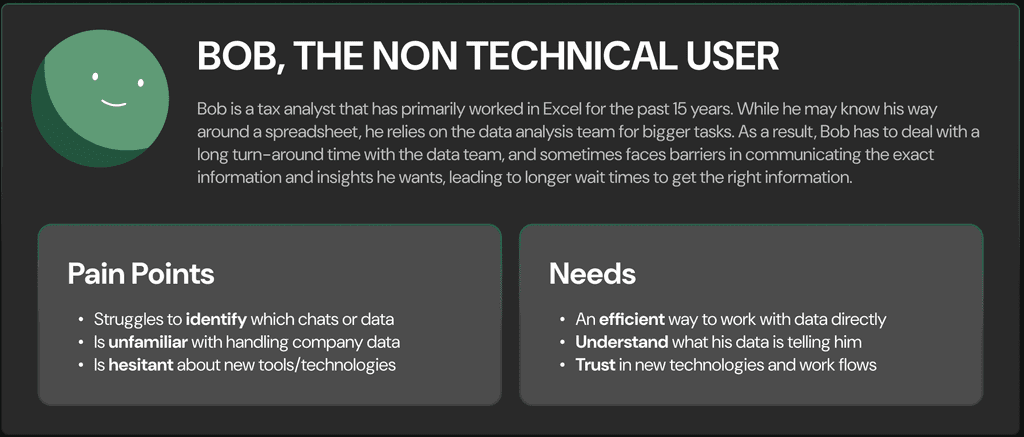
Who ana needed to serve
Now that I had clear goals, I came up with a user to better navigate my design decisions.
Wireframes
Imagining a dashboard that builds trust
After coming up with multiple ideas, I narrowed it down into three main features. Due to the fast-paced nature of the project, I was tasked by the client to skip low-fis and do mid-fis.
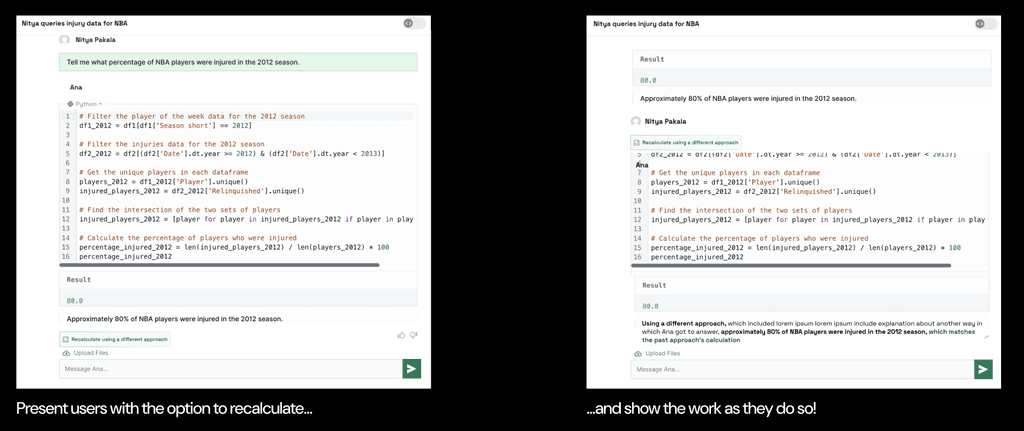
Approach A:
Recalculate Answer
Like how a student might double-check their work on an exam and show their work, this design idea centers around giving users the option to force Ana to recalculate its work using a different approach to reach the same answer, and show its work as it does so, so that a user may verify that it is indeed correct.
Approach B:
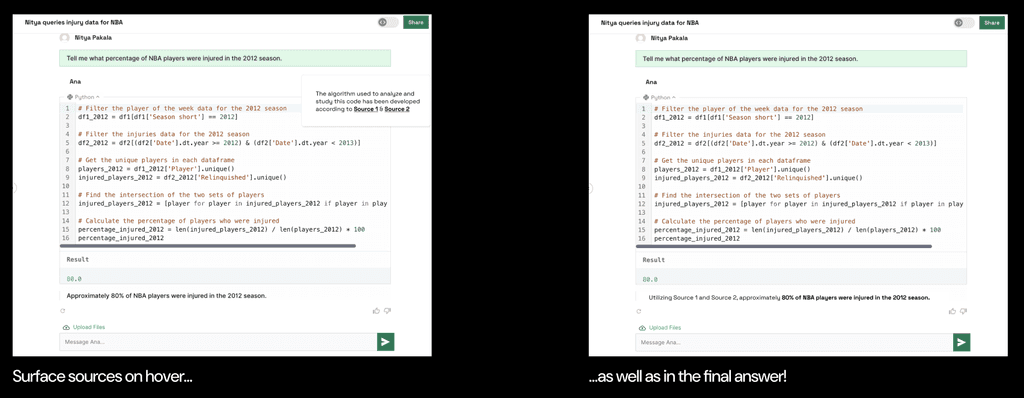
Citing Sources
With citations, I proactively surface where the AI draws its information from, and thus afford the user some insight into its accuracy.
Approach C:
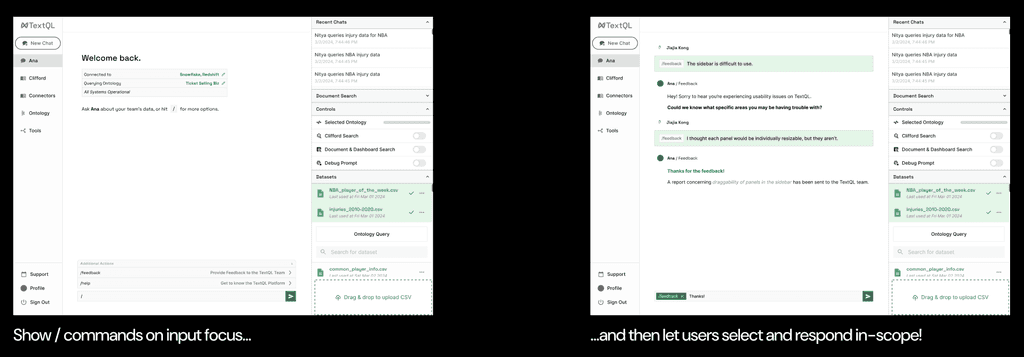
Command Bar
Alternatively, I could simply afford the user more control over how they interact with the chatbot in the first place. This approach prioritizes giving the user “scoped” controls, accessible via the slash key, to prompt users to provide feedback on inaccurate answers to the team, or to get help with platform bugs.
Project Pivot & Adapted Scope
Midway through the project, TextQL’s priorities shifted as the platform evolved to support more advanced data workflows. This pivot required me to refocus my design efforts on refining Ana’s dashboard to align with the company’s new emphasis on power users and scalability.
Motivation for Redesign
The existing chat design, akin to ChatGPT, is linear and sequential, operating in a fixed top-down direction. This encounters issues on the engineering end (such as compounding), because each output directly influences the next. Power users also feel limited by the ChatGPT-like interface, which only allows one insight at a time.
My New Scope
With TextQL expanding its capabilities, my focus pivoted toward a full redesign of Ana’s dashboard. The new goal was twofold: to rebuild user trust in AI-generated insights and to create a more structured, intuitive workspace that supported both confidence and efficiency in data-driven workflows.
Post Pivot
Reimagining the user base
As a result of the pivot, I created an additional persona. Meet Clyde!
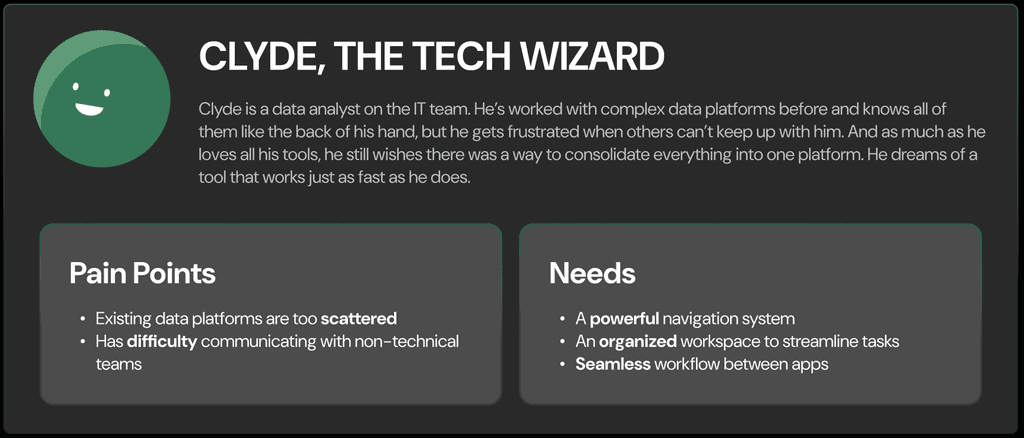
Now that this product also needs to be implemented for technical users as well, I had to continue ideating on the final solution. I wanted to give our technical users a convenient way to view their most relevant chats, more functionality for individual chats, and different ways to sort and filter their chats.
Wireframes
Adjusting as the product evolves
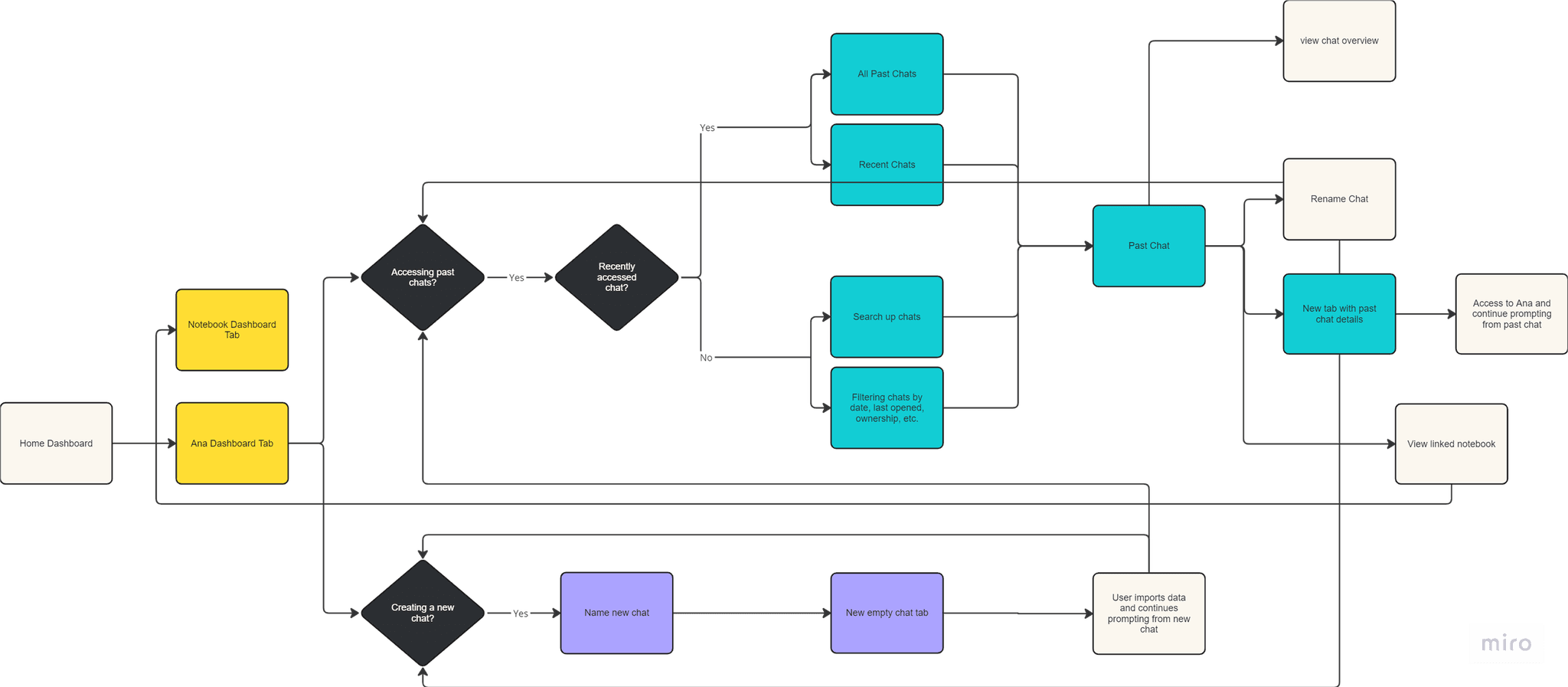
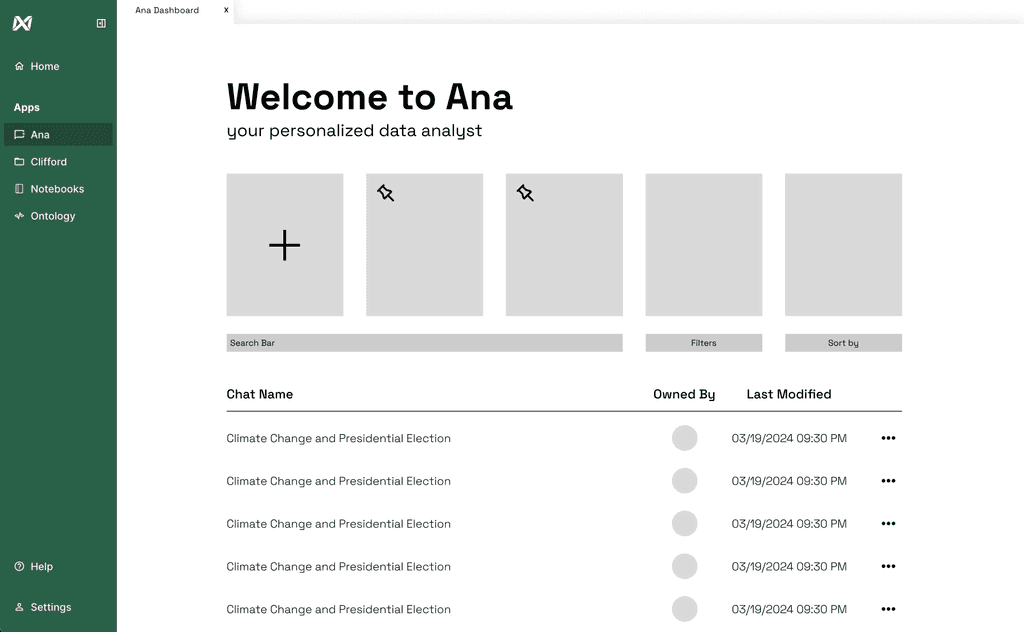
Although I had an idea of what I wanted the dashboard to look like, I first mapped out the functionality I wanted Ana to have by creating the following user flow diagram. I added more functionality between Ana and Notebooks to create a more seamless experience for users wanting to turn their chat prompts into more functional coding notebooks.
New Tab Quick Actions
We also created a new tab system to view multiple chats. We got rid of the cramped, long list of chats that existed in Ana before to view your old chats and created a “Quick Actions” menu when opening a new tab where users can easily open their most recent chats or create a new chat. This keeps recent chats accessible and redirects users to the main dashboard if they need to find an old chat.
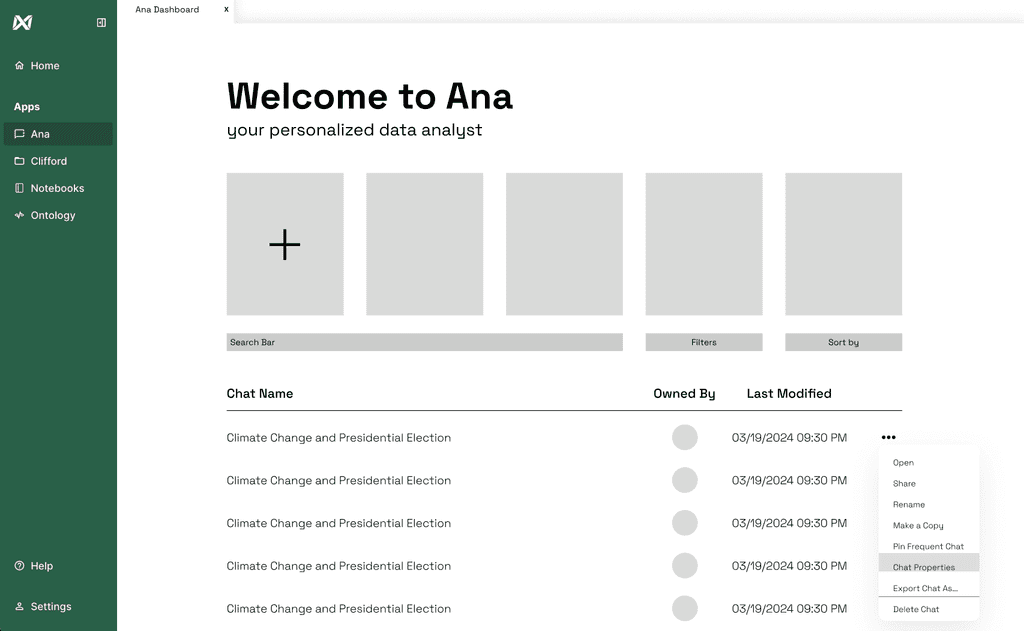
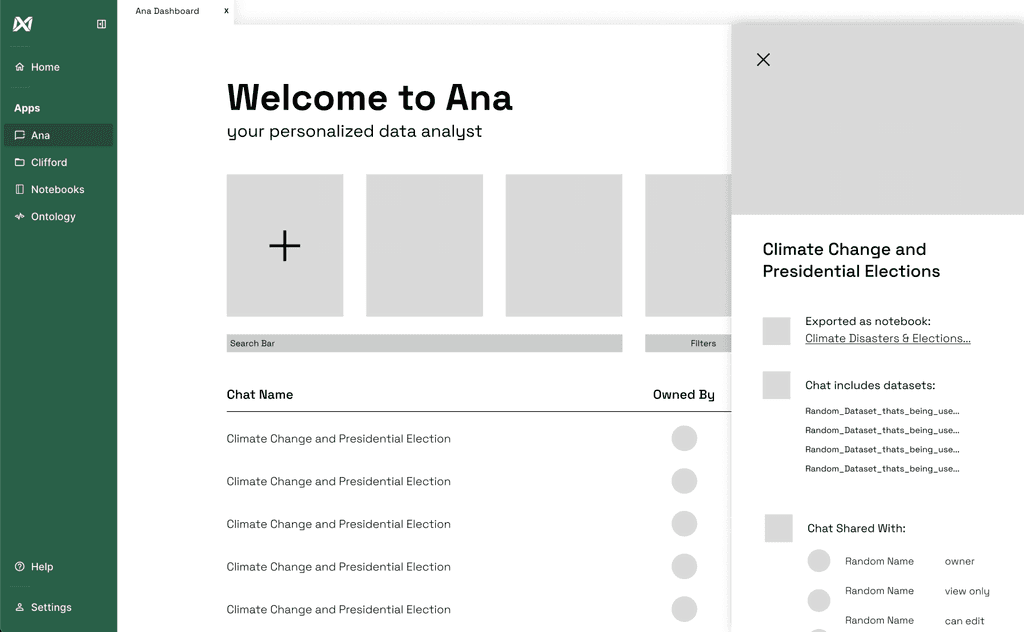
Chat Properties
For another iteration, I included the aforementioned features (excluding “Convert to Notebook” and “Quick Actions”), and included a “Chat Properties” feature which showcases visualizations made in the chat, who the chat is shared with, main datasets used in the chat, and if the chat has been exported as a notebook.
Results
After dev implementation, I found that…
Higher trust in AI insights
Features like citations and “recalculate answer” helped users verify results before acting
Faster navigation
Users located relevant chats 40% quicker, reducing duplicated work.
Improved data comprehension
Structured dashboards made complex datasets easier to interpret for team members
The final prototype reimagined Ana’s dashboard into a structured, trustworthy workspace featuring organized chat management and seamless navigation between insights.
Takeaways & Next Steps
My collaboration with TextQL offered me valuable insight into designing for enterprise, particularly within the data industry. This project presented a significant design challenge, offering a rare opportunity for me to engage in B2B design similar to those at Microsoft, Palantir, and Salesforce. As this was my first time working with a multi-million-dollar seed start-up, this project was an exciting and collaborative effort.
Start-up Iteration Speed
At TextQL, Design and Engineering maintain a highly open bidirectional channel of feedback. For us, this meant I frequently changed design direction based on new information from the engineers and TextQL’s evolving business needs.
Designing for Enterprises
Designing for data-driven enterprises meant that scalability was a significant consideration! Some things such as onboarding and conversion are easier at scale, but things such as segmenting features by skill level or role within an organization are a lot more complex.