Accessibility Design
Enhancing Student Analytics

Context
The client is an EdTech company that helps students with disabilities build foundational math skills through interactive games. I worked with 4 other designers on this project as a whole. My specific focus for this project was redesigning the Student Analytics Progress Page, the core view where students track their proficiency and time on education games.
Timeline
8 weeks
Personal Mission
This project meant a lot to me because the user base is children/students with disabilities and I was very excited to work with accessibility design as I have not tackled that space before. It challenged me to think more deeply about how every detail can impact usability.
Why the UI matters
This project was not a redesign of the UI. As a contract designer, my scope was limited to adding new analytics features, specifically to the Student Progress Dashboard and progress-tracking tools. While our team identified several opportunities to improve overall usability and visual consistency, we were told to focus on strictly building upon the current design system to ensure our work aligned with the company’s existing product architecture and technical constraints.
What I saw as a designer…
When I first reviewed the platform, certain visual and structural choices immediately stood out as unconventional:
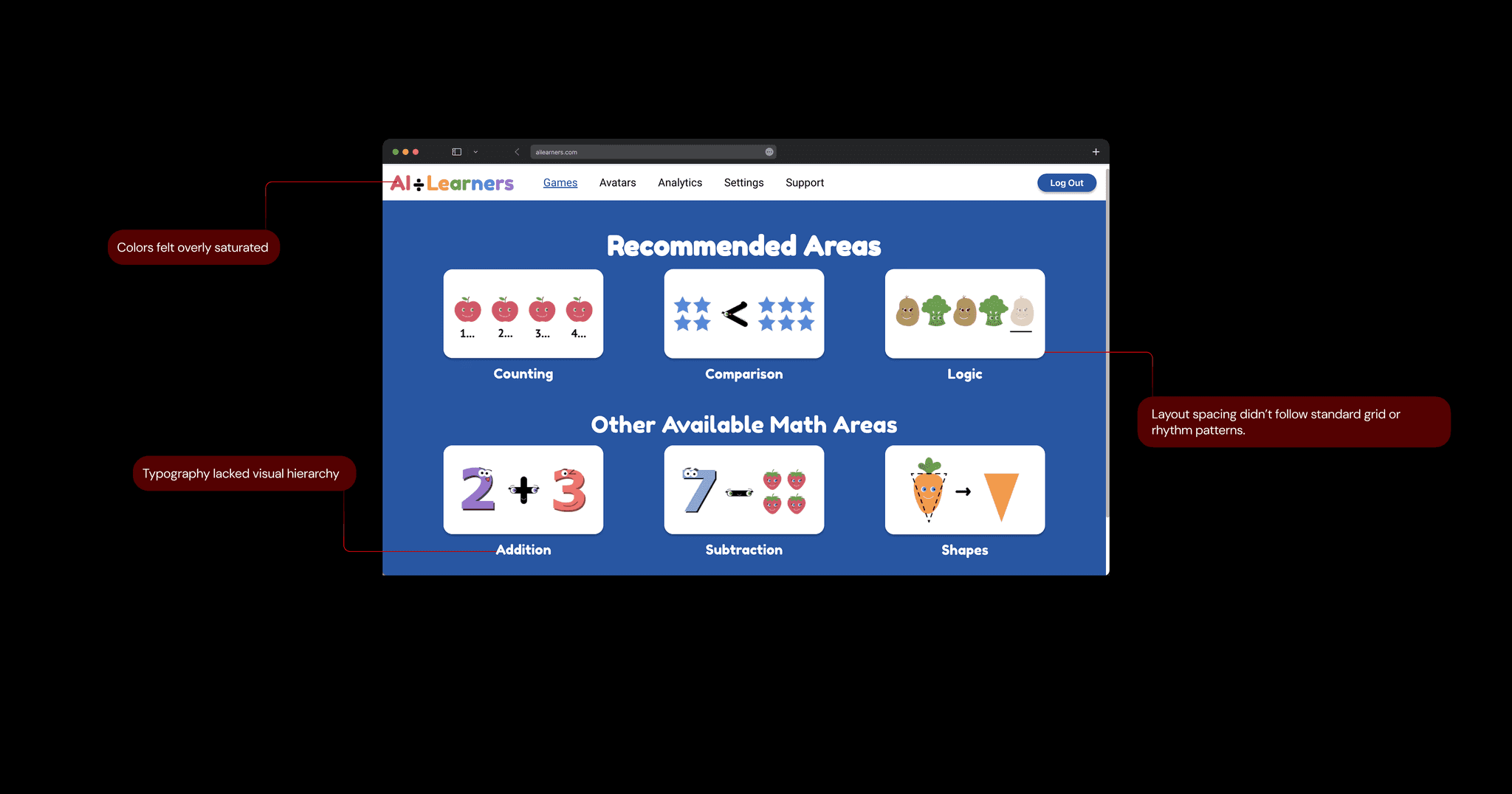
What students saw and needed…
After understanding and talking with the user base, it became clear that these choices were deliberate:
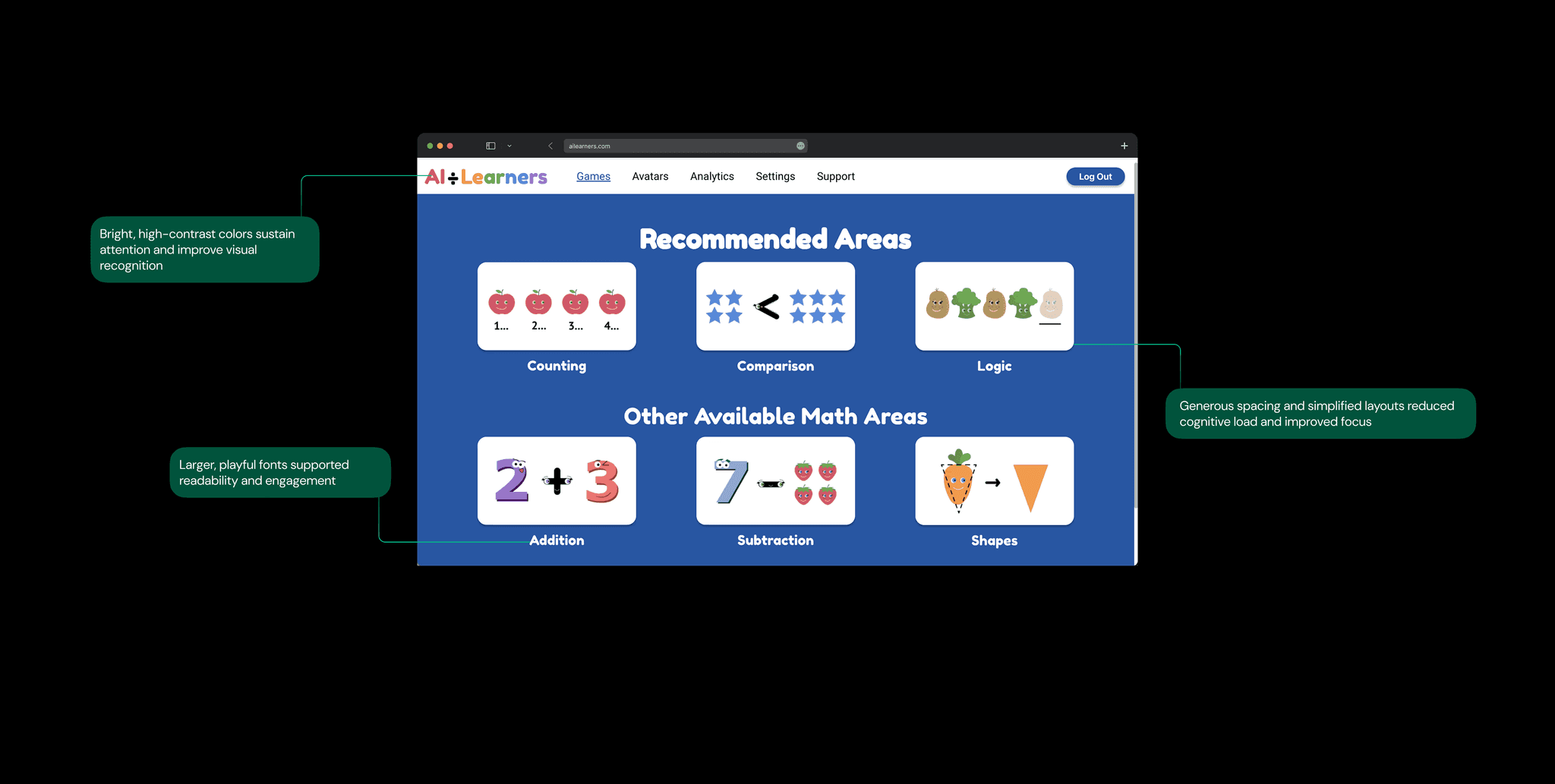
It takes 3.5x longer for students to analyze their analytics than via traditional methods
I researched how students tested with the dashboard as well as conducted interviews on their experiences with it. I personally led a small synthesis of interview notes from 5 students to identify key pain points. I made a map of my insights to understand the problem with the current user flow.

Confusing Navigation
Students struggle to find and access the right games due to unclear labeling, unnecessary category splits, and separated difficulty levels
Incomplete Analytics
The dashboard fails to clearly show student progress, trends, or strengths across topics, making learning outcomes hard to interpret
Disrupted Feedback
We reviewed studies on digital interaction and trust to ground our insights in existing theory and understand connection.
I researched competitors to learn more
I also conducted competitor research with three platforms, ClassDojo, SplashLearn, and Kahoot. This helps me understand how they support engagement and progress tracking.

Class Dojo
Gamified point system
Creating incentive for students

Splash Learn
Viewing options
For student assignment completion

Kahoot
Skill categories
For students who need special attention
Opportunity
How might we enable students to track and interpret their learning progress effectively?
What should the new analytics fix
Before ideating, I want to transform the 3 main pain points into goals for this phase.
Confusing → Intuitive
Simplify game access and category structure so students can easily find and enter the right activities
Incomplete → Clear
Present student performance and trends in a way that is immediately understandable and actionable
Disrupted → Seamless
Ensure all buttons, transitions, and feedback are predictable and support smooth gameplay
Ideating Solutions
I sketched low-fidelity wireframes to quickly explore multiple ways to present student progress, track game analytics, and support seamless dashboard flow.
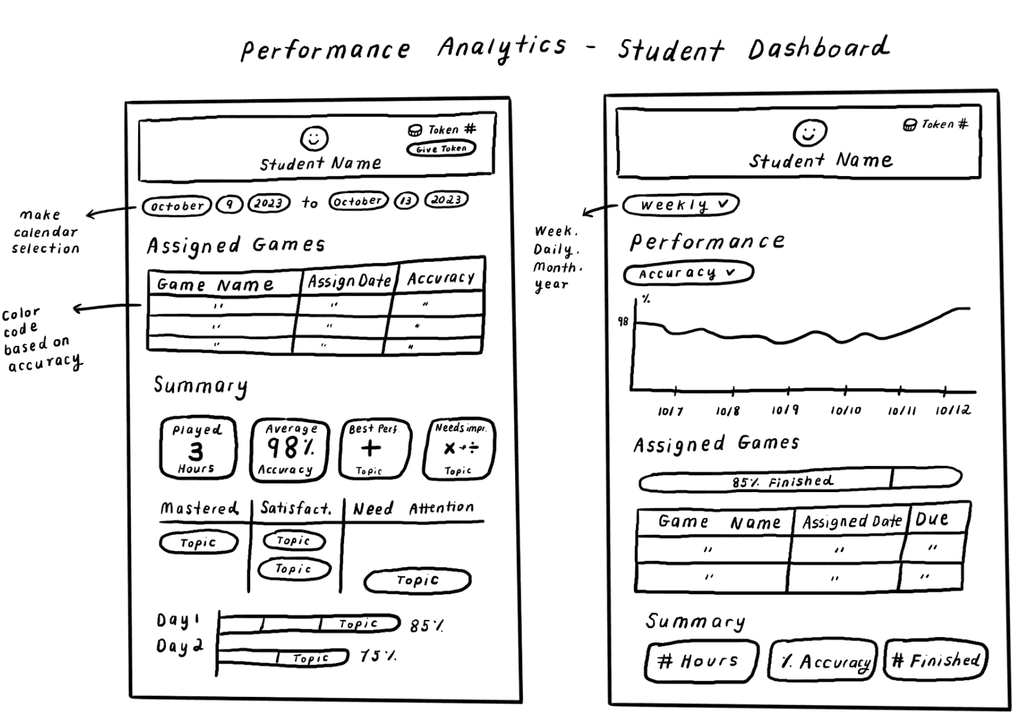
Designing key features
Mastery of Topics – Shows proficiency by level to help students identify focus areas
Game Accuracy – Shows mastery by accuracy to identify how well they perform
Games Played Over Time – Breakdown showing how long students engage with activities
Reflecting on my experience
My collaboration with AI Learners gave me valuable experience designing for EdTech, particularly in creating accessible, analyticsfor students of all abilities. This project was a meaningful design challenge, offering a chance to work on personalized learning analytics that support both students and instructors in real classroom and at home settings.
If I had more time I would….
conduct more user testing on the product. We only had time to test on one user at the end of the contract. More user testing will reveal how users interact with the product, uncovering usability issues and areas for improvement. These insights will guide design adjustments to enhance the user experience and better meet user needs.